
QuickBooks dashboards for the office display: cash, AR, and P&L on Apple TV
QuickBooks Online is where the books close, but most of the team never opens it. Dance Party turns the reports your bookkeeper already runs, profit and loss, the balance sheet, and A/R aging, into a dashboard on the office display. It runs on an Apple TV, and one workspace can show up to five QuickBooks companies side by side.
- Read-only
- OAuth connection
- Up to 5 companies
Popular QuickBooks dashboards
What teams running QuickBooks put on the screen, and what you would ask DJ Agent to get it.
Month-to-date P&L board
For owners, the leadership team, and the whole office at month end
Revenue and net income from the Profit and Loss report tell everyone where the month stands before the books close. A target next to it turns the last week of the month into something the team can see moving.
- Total income, month to date, from the Profit and Loss report
- Net income, month to date
- Revenue against a monthly target you set
- Last month's revenue for comparison
Ask DJ Agent“Show QuickBooks total income this month against a $200,000 target, with net income month to date underneath.”
A/R aging collections wall
For the bookkeeper, controller, and whoever makes collection calls
Money stuck in the 61 to 90 day bucket is the money that becomes a write-off. Putting the aging buckets where the finance team sits makes the late ones impossible to ignore.
- Total accounts receivable outstanding
- Current, 1-30, 31-60, 61-90, and 91+ day aging buckets
- Count of open invoices
Ask DJ Agent“Chart our QuickBooks aged receivables by bucket, from current through 91 days and over, with total A/R as the headline.”
Open invoices by due date
For accounts receivable and account managers
The list of unpaid QuickBooks invoices, oldest due date first, is the collections to-do list. On a screen it gets worked every morning instead of whenever someone remembers to run the report.
- Open invoices with a balance, ordered by due date
- Invoice number, customer, and balance due
- Invoices past their due date
- Number of open invoices
Ask DJ Agent“List our open QuickBooks invoices by due date with customer and balance, and mark the ones past due in red.”
Cash across every company
For owners of several entities, holding companies, and bookkeepers with client books
When the business is three or four legal entities, nobody sees total cash without logging into each company. Connect up to five QuickBooks companies and one screen ranks them side by side.
- Cash from each company's Balance Sheet
- Month-to-date revenue per company
- Accounts receivable per company
Ask DJ Agent“Compare cash on the balance sheet across all of our connected QuickBooks companies, largest first.”
What Dance Party reads from QuickBooks
Dance Party reads QuickBooks Online through Intuit's Accounting API. Intuit's permission covers reading and writing, and there is no read-only version, so Dance Party enforces it: every request is a report or a SELECT query, and anything else is refused before it leaves Dance Party.
Financial reports
QuickBooks API docs ↗- Profit and LossTotal income, net income, and each income and expense account, month to date by default or for any date range.
- Balance SheetCash and total assets, as of today or a date you pick.
- Customer IncomeYour top customers by income, fiscal year to date by default.
Receivables and invoices
QuickBooks API docs ↗- Aged ReceivablesTotal A/R outstanding and the aging buckets from the A/R Aging report.
- Open invoicesEvery invoice with a balance, ordered by due date.
- Open invoice countHow many invoices are unpaid, as one number.
Company
QuickBooks API docs ↗- Company infoThe company name, used to title each widget and to label each company on the Integrations card.
How to connect QuickBooks
Before you start
- An owner or admin of your Dance Party workspace makes the QuickBooks connection.
- A QuickBooks Online login that is the primary admin or a company admin of the company you want to show. Intuit only lets those two roles connect apps.
- QuickBooks Online. QuickBooks Desktop is not supported.
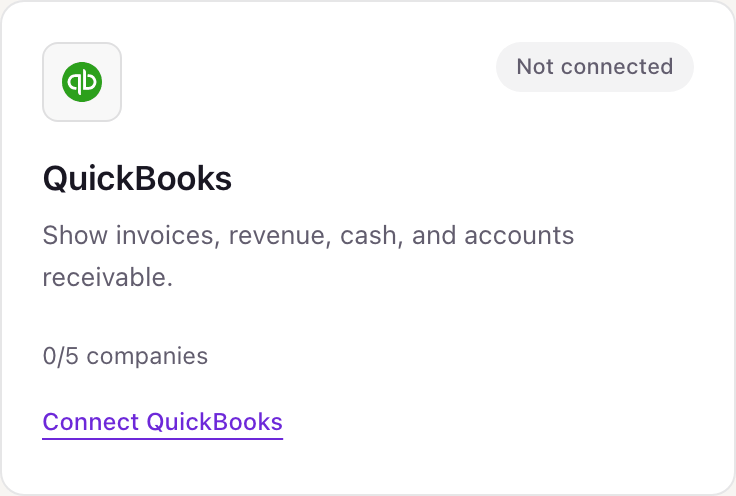
- 1In Dance Party, open Integrations. The QuickBooks card shows 0/5 companies and a Connect QuickBooks link.
- 2Click Connect QuickBooks. Intuit asks you to sign in.
- 3If your login has more than one company, pick the one to connect, then approve access for Dance Party.
- 4Intuit sends you back. The card lists the company by name and counts it, for example 1/5 companies.
- 5To add another company, click Add company on the same card. Intuit's consent screen opens again. Pick the next company there.
Connecting more than one QuickBooks company
Up to five QuickBooks companies per workspace. Intuit hands over one company each time you approve, so Add company runs Intuit's consent again and you choose the next company there. This fits a holding company with several entities, an owner with more than one business, or a bookkeeper who keeps a few clients' books. Each company is its own connection, listed on the card by name with its own Reconnect and Disconnect, and a dashboard can compare all five.
Intuit's accounting permission is read and write, with no read-only option. Dance Party only ever runs reports and SELECT queries against it, and refuses anything else before the request is sent. Disconnect a company from the Integrations card, or remove Dance Party from the Apps page in QuickBooks, and access ends.
From QuickBooks to your office display
Once QuickBooks shows Connected, the rest happens in plain English. No code, no drag-and-drop.
1. Describe it. Tell DJ Agent what you want to see.
New dashboard+ WidgetDescribe a widget in DJ Agent, or click + WidgetDJ AgentDATA SOURCESQuickBooksConnectedShow QuickBooks total income this month against a $200,000 target, with net income month to date underneath.Send2. It gets built. The widget lands on your board with real QuickBooks data.
New dashboard+ WidgetSeptember revenueLiveQuickBooks total income, month to date$184,320/ $200,00092% to goalDJ AgentDATA SOURCESQuickBooksConnectedShow QuickBooks total income this month against a $200,000 target, with net income month to date underneath.Send3. Put it on a screen. Pair an Apple TV with the six-character code it shows, then assign the dashboard.

QuickBooks dashboard questions
Can I put a QuickBooks dashboard on a TV in the office?
Yes. Connect QuickBooks Online, describe the dashboard to DJ Agent, and assign it to a screen running the Dance Party Apple TV app. It refreshes on its own.
Can I connect more than one QuickBooks company?
Yes, up to five per workspace. Click Add company on the QuickBooks card and choose the next company on Intuit's screen. Each company shows by name, and one widget can compare them.
Does it work with QuickBooks Desktop?
No. Dance Party connects to QuickBooks Online through Intuit's API. QuickBooks Desktop files are not supported.
Who in QuickBooks can connect it?
The primary admin or a company admin. Intuit does not let standard users connect apps, so ask one of them to click Connect QuickBooks.
Can Dance Party change my books?
No. Dance Party only reads reports and runs SELECT queries. It never creates, edits, voids, or deletes invoices, payments, customers, or journal entries.
Can it show expenses by category or accounts payable?
Expenses yes, payables no. The Profit and Loss report carries a total for each expense account, so DJ Agent can chart spend by account for any period. Bills and A/P aging are not read.
Will payroll or bank details end up on the screen?
Only the lines you ask for. If your chart of accounts has a payroll expense account, its total is in the Profit and Loss report like any other line. Individual paychecks and bank transactions are never read.
More integrations
Put QuickBooks on every office display
Connect QuickBooks, describe the dashboard, and it runs on an Apple TV, refreshing on its own.
Get Started