
A Pendo tagging dashboard for the product ops office display, on Apple TV
Pendo analytics are only as good as the features you tag and the metadata you send. Dance Party reads that setup from Pendo and puts it on an office display as an Apple TV dashboard: tagged features by product area, your core events, and the visitor and account fields you collect.
- Read-only
- API key connection
- One connection per workspace
Popular Pendo dashboards
What teams running Pendo put on the screen, and what you would ask DJ Agent to get it.
Features tagged by product area
For product ops and product managers
An untagged area of the product is invisible in every Pendo report. Counting tagged features per product area shows which team's surface is well covered and which one shipped without tags.
- Tagged features grouped by product area
- Total features tagged in the subscription
- Features that apply app-wide
Ask DJ Agent“Count our Pendo tagged features by product area and show them as bars.”
Core events list
For product leadership
Core events are the handful of Pendo features you agreed define real use of the product. Keeping that short list on the wall keeps the definition in front of the team that owns it.
- Features marked as core events
- The product area each one belongs to
- Who created each tag
Ask DJ Agent“List the Pendo features marked as core events, with each one's product area.”
Recently tagged features
For product ops and the PMs shipping new UI
Every release should come with new Pendo tags. A feed of the latest tags, with who created them and when, shows at a glance whether last week's launch was tagged before anyone asks for its adoption numbers.
- Features in order of when they were tagged
- Who created each tag
- When each tag was last updated
Ask DJ Agent“Show the 5 most recently created Pendo features with who tagged them and the date.”
Metadata fields collected
For product ops and data teams
Segmenting by plan, role or ARR in Pendo only works if those fields arrive. The visitor and account metadata schemas show exactly which fields you collect and where each one comes from.
- Visitor metadata fields, by name and type
- Account metadata fields, by name and type
- Which group each field comes from: agent, custom or an integration such as Salesforce
Ask DJ Agent“Count our Pendo visitor and account metadata fields by source group: agent, custom and each integration.”
What Dance Party reads from Pendo
Dance Party reads your Pendo setup with an integration key and three GET requests: the feature list and the visitor and account metadata schemas. It does not read usage counts, guides or NPS, and it cannot change anything in Pendo.
Features
Pendo API docs ↗- Tagged featuresEach feature's name, product area and whether it applies app-wide.
- Core eventsWhich features are marked as core events.
- Tag historyWho created each feature tag, when, and when it was last updated.
Metadata schemas
Pendo API docs ↗- Visitor fieldsEvery visitor metadata field, its type and its source group.
- Account fieldsEvery account metadata field, its type and its source group.
How to connect Pendo
Before you start
- An owner or admin of your Dance Party workspace makes the Pendo connection.
- A Pendo admin with integration key access; API access depends on your Pendo subscription
- A Pendo subscription hosted on app.pendo.io (the US data center)
- An integration key with Allow Write Access left unticked
- 1In Pendo, open Settings, then Integrations, then Integration Keys, and click Add Integration Key.Pendo integration keys guide ↗
- 2Describe it as Dance Party, leave Allow Write Access unticked, create it, and copy the key.
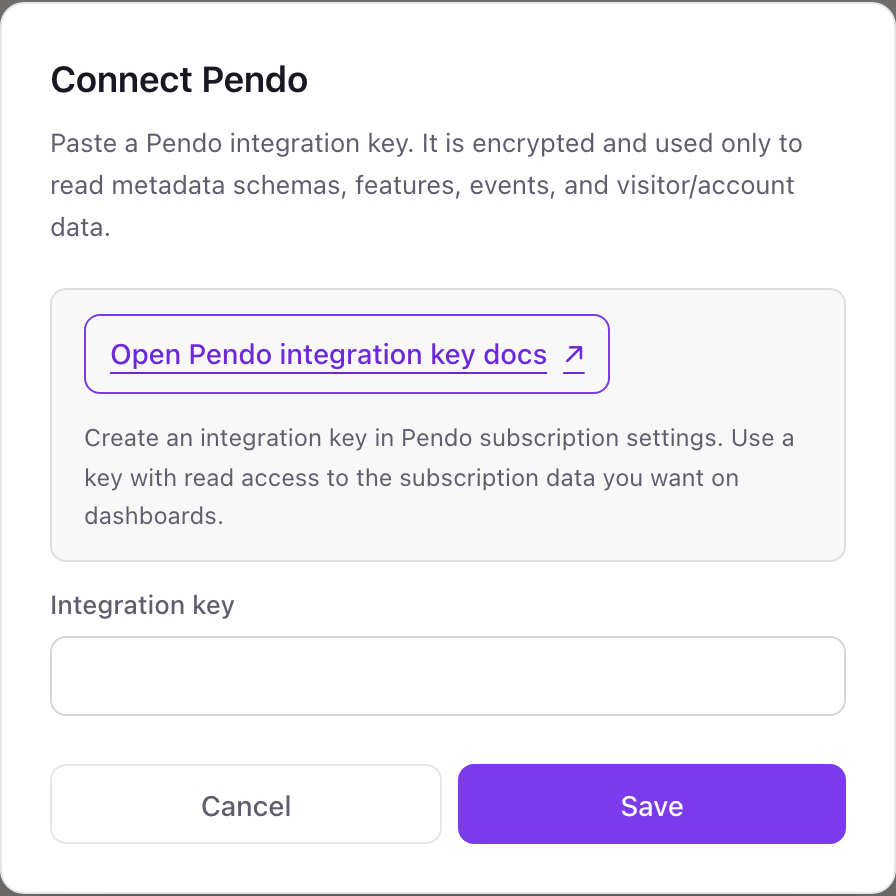
- 3In Dance Party, click Connect Pendo and paste the key into Integration key.
- 4Click Save. Dance Party reads your account metadata schema once to test the key, and the card shows Connected.
One Pendo connection per workspace
A workspace connects one Pendo subscription through one integration key. If your company runs separate Pendo subscriptions, for example one per product line, each needs its own Dance Party workspace.
Read-only. A Pendo integration key without Allow Write Access can only read, and Dance Party only calls three read endpoints. Delete the key under Settings, Integrations, Integration Keys to revoke it.
From Pendo to your office display
Once Pendo shows Connected, the rest happens in plain English. No code, no drag-and-drop.
1. Describe it. Tell DJ Agent what you want to see.
New dashboard+ WidgetDescribe a widget in DJ Agent, or click + WidgetDJ AgentDATA SOURCESPendoConnectedCount our Pendo tagged features by product area and show them as bars.Send2. It gets built. The widget lands on your board with real Pendo data.
New dashboard+ WidgetTagged features by product areaLive86features taggedReportingBillingSettingsOnboardingIntegrationsMobileDJ AgentDATA SOURCESPendoConnectedCount our Pendo tagged features by product area and show them as bars.Send3. Put it on a screen. Pair an Apple TV with the six-character code it shows, then assign the dashboard.

Pendo dashboard questions
Can I show Pendo data on an Apple TV?
Yes, your Pendo setup. Dance Party shows tagged features, core events and metadata fields on the Dance Party Apple TV app.
Can it show Pendo feature usage, guide views or NPS?
No. Dance Party reads the Pendo feature list and metadata schemas, not usage counts, guide activity or NPS responses.
Does it work with Pendo EU or other data centers?
No, not today. Dance Party calls app.pendo.io, so subscriptions hosted in Pendo's EU or other regional data centers cannot connect yet.
Who can create a Pendo integration key?
A Pendo admin with integration key access, under Settings, Integrations, Integration Keys. API access depends on your Pendo subscription.
Should the Pendo key allow write access?
No. Leave Allow Write Access unticked. Dance Party only reads, and a read-only key cannot change segments, metadata or guides.
More integrations
Put Pendo on every office display
Connect Pendo, describe the dashboard, and it runs on an Apple TV, refreshing on its own.
Get Started