
Microsoft Teams channel posts as an office display dashboard on Apple TV
In Microsoft Teams, an announcement in the General channel competes with every chat notification on someone's laptop. Dance Party reads the latest posts from the standard channels you choose and puts them on an office display as a dashboard, running on an Apple TV in the lobby, the kitchen, or the shop floor, where people who are not at a desk still see them.
- Read-only
- OAuth connection
- One connection per workspace
Microsoft Teams dashboard examples
What teams running Microsoft Teams put on the screen, and what you would ask DJ Agent to get it.
Announcements in the lobby
For HR, internal comms, and office managers
Many companies run announcements through one Teams channel. On a lobby or kitchen display, the same post reaches people on the floor, in the warehouse, or between meetings who never open that channel.
- The newest top-level posts in the announcements channel
- When each post went up
- Up to 50 recent posts per read, trimmed to what fits
Ask DJ Agent“Show the latest 4 posts from the Announcements channel in our Microsoft Teams Company team, newest first, with when each was posted.”
Latest win from the Wins channel
For sales teams and the whole office
A Teams Wins channel fills with good news that scrolls away in a day. Putting the newest post up as a big celebration card gives it a few more hours in front of everyone.
- The most recent post in your Wins or Shout-outs channel
- The time it was posted
- The team and channel it came from
Ask DJ Agent“Celebrate the newest post in the Wins channel of our Sales team in Microsoft Teams as a big card with the time it was posted.”
Shift handoff notes
For operations, support, and front-desk teams working in shifts
Teams that hand over between shifts often post notes in a dedicated channel. Showing the last few notes on the team's screen means the incoming shift reads them before the first call.
- The last few posts in the handoff channel
- How long ago each note was posted
- Posts made since the start of today
Ask DJ Agent“Show today's post count and the latest note from the Shift Handoff channel in our Operations team in Microsoft Teams.”
What Dance Party reads from Microsoft Teams
Dance Party reads Microsoft Teams through Microsoft Graph. Your sign-in lets it list the teams you belong to and their standard channels. Reading posts also requires the Dance Party app installed in that team, and your membership is checked again on every read.
- Your teamsName and description of each team the connected account belongs to.
Channels
Microsoft Teams API docs ↗- Standard channelsName and description. Private and shared channels are left out.
Channel posts
Microsoft Teams API docs ↗- Top-level postsPlain text of 1 to 50 of the newest posts in one standard channel.
- Post timesWhen each post was created and last edited.
How to connect Microsoft Teams
Before you start
- An owner or admin of your Dance Party workspace makes the Microsoft Teams connection.
- A Microsoft 365 work or school account that is a member of the team. Personal Microsoft accounts are not supported.
- Permission to add a custom app to the team, or a Microsoft 365 admin who can upload it to your organization's app catalog
- 1Open the Teams setup page and download the Dance Party Teams app package.Open Teams setup instructions ↗
- 2In Teams, open Apps, then Manage your apps, then Upload an app, and choose Upload a custom app. Select the ZIP, choose Add to a team, pick your team, and click Add.
- 3On the Dance Party Integrations page, click Connect Microsoft Teams. Sign in with your work or school account and accept the permissions Microsoft lists.
- 4After consent, Microsoft returns you to Dance Party, and the Teams card switches to Connected.
- 5In DJ Agent, select Microsoft Teams, ask to see your channels, and choose the standard channel to show.
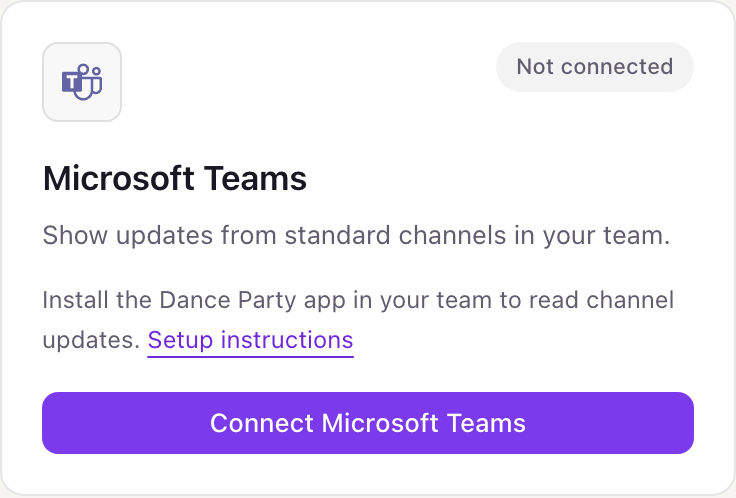
One Microsoft Teams connection per workspace
A workspace connects one Microsoft account. It can read any team that account belongs to, as long as the Dance Party app is installed in that team, so showing a second team means installing the app there, not connecting again.
Read-only. The sign-in covers your profile, team names, and channel names, and the installed app can only read posts in that team's standard channels. Dance Party never sends a message. Remove the app from the team in Teams to revoke its access, or click Disconnect in Dance Party.
From Microsoft Teams to your office display
Once Microsoft Teams shows Connected, the rest happens in plain English. No code, no drag-and-drop.
1. Describe it. Tell DJ Agent what you want to see.
New dashboard+ WidgetDescribe a widget in DJ Agent, or click + WidgetDJ AgentDATA SOURCESMicrosoft TeamsConnectedShow the latest 4 posts from the Announcements channel in our Microsoft Teams Company team, newest first, with when each was posted.Send2. It gets built. The widget lands on your board with real Microsoft Teams data.
New dashboard+ WidgetFrom AnnouncementsLive10:05 a.m.Holiday schedule for November is posted.YesterdayNew security badge readers go live Monday on all doors.TueLunch and learn Thursday: AI tools we actually use.MonQ3 results recap video is up in the Leadership tab.DJ AgentDATA SOURCESMicrosoft TeamsConnectedShow the latest 4 posts from the Announcements channel in our Microsoft Teams Company team, newest first, with when each was posted.Send3. Put it on a screen. Pair an Apple TV with the six-character code it shows, then assign the dashboard.

Microsoft Teams dashboard questions
Can I show Microsoft Teams channel posts on a TV in the office?
Yes. Install the Dance Party app in the team, connect Microsoft Teams, and ask DJ Agent for a channel. The posts run on the Dance Party Apple TV app and refresh as often as every five minutes.
Is Dance Party in the Microsoft Teams Store?
No. You upload the Dance Party app package to your team as a custom app, or your Microsoft 365 admin adds it to your organization's app catalog.
Can it show private channels or chats?
No. Only standard channels in teams where the app is installed. Private channels, shared channels, one-to-one chats, and group chats are never read.
Does it show who posted, or the replies?
No. Dance Party shows the text and time of top-level posts. Author names, replies, reactions, and attachments are not included.
Do I need a Microsoft 365 admin to set this up?
Sometimes. If your organization lets people upload custom apps and consent to apps, a team member can do it alone. If either is blocked, an admin has to allow it once.
Can I use a personal Microsoft account?
No. Microsoft Teams channels live in work or school tenants, so Dance Party only accepts work or school accounts.
Can Dance Party post messages to Teams?
No. It never sends, edits, or deletes messages. It only reads posts to put them on screen.
More integrations
Put Microsoft Teams on every office display
Connect Microsoft Teams, describe the dashboard, and it runs on an Apple TV, refreshing on its own.
Get Started