
Dixa support team dashboards for the office Apple TV
Dixa runs every customer channel through one team of agents, organised into teams and roles. A Dixa dashboard on an Apple TV puts that team on the office display: how many agents and admins you have, how the roster has grown, and a welcome for whoever joined this week.
- Read-only
- API key connection
- One connection per workspace
Popular Dixa dashboards
What teams running Dixa put on the screen, and what you would ask DJ Agent to get it.
New agent welcome
For the whole customer service floor
Support teams grow in waves before peak season, and new starters are easy to miss on a busy floor. Putting each new Dixa agent's name on screen the week they are added makes the welcome happen.
- Agents added in Dixa in the last 7 days
- Each new agent's display name and role
- The date they were added
Ask DJ Agent“Welcome each agent added to Dixa in the last 7 days on screen with their name and role, newest first.”
Support headcount growth
For customer service leadership
Hiring plans promise a bigger team by peak season. Counting Dixa agents by the month they were added shows whether the hiring actually landed, one bar per month.
- Agents added in each of the last six months
- Total agents today
- Admins versus agents
Ask DJ Agent“Chart Dixa agents added per month for the last six months, with today's total agent count as the headline.”
Team and roster board
For team leads and new hires finding their way
A new agent's first question is who is on which team and who the admins are. A board that lists Dixa's teams and admins answers it without a trip into Settings.
- Every team by name
- Admins by name
- Agents added most recently
Ask DJ Agent“List our Dixa teams by name, and show our Dixa admins underneath.”
What Dance Party reads from Dixa
Dance Party reads the Dixa API with a token from your Dixa settings. Today that covers your organization, agents, and teams. It only reads.
Agents
Dixa API docs ↗- Agents and adminsDisplay name, roles such as Agent or Admin, and the date each person was added.
Teams
Dixa API docs ↗- TeamsEvery team's name.
Organization
Dixa API docs ↗- OrganizationYour Dixa organization's name, subdomain, and status, for the board title.
How to connect Dixa
Before you start
- An owner or admin of your Dance Party workspace makes the Dixa connection.
- A Dixa admin. Agents cannot create API tokens
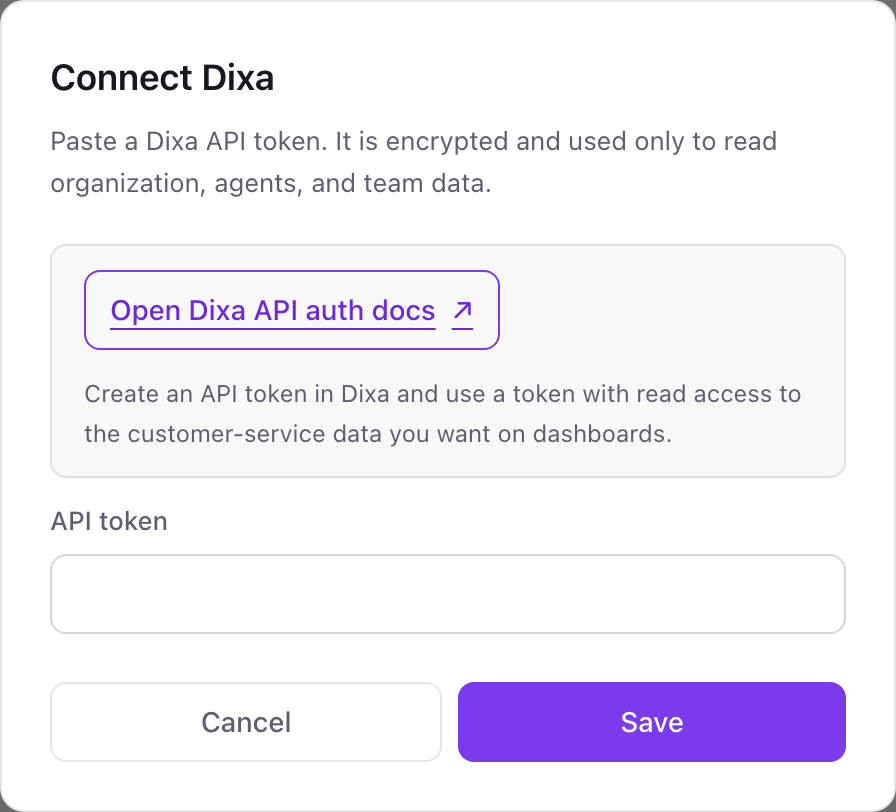
- 1On Integrations in Dance Party, click Connect Dixa; the pop-up asks for a Dixa API token and nothing else.
- 2In Dixa, open Settings, then Manage, then Integrations, and choose the API Tokens tab. Click Add API token.Dixa: create an API token ↗
- 3Name it Dance Party, choose Dixa API as the version, save, and copy the token.
- 4Paste it into API token and click Save.
- 5Dance Party reads your organization to check the token, and the Dixa card shows Connected.
One Dixa connection per workspace
A workspace connects one Dixa organization. If you run separate Dixa organizations for different brands, each one needs its own Dance Party workspace.
Dance Party only reads your organization, agents, and teams. It never opens, answers, or routes a conversation. Delete the token on Dixa's API Tokens tab to revoke it, or disconnect from the Integrations page.
From Dixa to your office display
Once Dixa shows Connected, the rest happens in plain English. No code, no drag-and-drop.
1. Describe it. Tell DJ Agent what you want to see.
New dashboard+ WidgetDescribe a widget in DJ Agent, or click + WidgetDJ AgentDATA SOURCESDixaConnectedWelcome each agent added to Dixa in the last 7 days on screen with their name and role, newest first.Send2. It gets built. The widget lands on your board with real Dixa data.
New dashboard+ WidgetNew to the teamLiveWELCOMESofie LundAgentjoined September 22DJ AgentDATA SOURCESDixaConnectedWelcome each agent added to Dixa in the last 7 days on screen with their name and role, newest first.Send3. Put it on a screen. Pair an Apple TV with the six-character code it shows, then assign the dashboard.

Dixa dashboard questions
Can I show my Dixa team on an Apple TV?
Yes. Connect Dixa with an API token, describe the board, and choose the office display it belongs on.
Can it show Dixa conversation volume, queues, or CSAT?
No, not today. The Dixa connection reads your organization, agents, and teams. Conversations, queue wait times, and satisfaction stay in Dixa's own analytics.
Can it show which Dixa agents are online?
No. Agent presence, working or away, is not read yet. Boards show who is on the roster, not who is logged in.
Who can create the Dixa API token?
A Dixa admin, from Settings, Manage, Integrations, API Tokens. An agent account cannot create one.
Will agents' email addresses show on screen?
Only if you ask for them. Dance Party reads them, but roster boards use display names, and you choose what appears.
Can Dance Party change anything in Dixa?
No. It only reads. It never adds or removes agents, changes teams, or touches a conversation.
More integrations
Put Dixa on every office display
Connect Dixa, describe the dashboard, and it runs on an Apple TV, refreshing on its own.
Get Started