
Salesforce dashboards for the sales floor, on Apple TV and any office display
Salesforce teams live by the quarter: what is in Commit, what slipped to Best Case, which opportunities are stuck in Negotiation/Review. Dance Party reads your org and turns that into a Salesforce dashboard on an Apple TV, so the forecast is on the office display every day, not only at the Monday call.
- Read-only
- OAuth connection
- One connection per workspace
Popular Salesforce dashboards
What teams running Salesforce put on the screen, and what you would ask DJ Agent to get it.
Quarter forecast by category
For sales leadership and every account executive
Forecast category is the field reps argue about in the Monday call. On the wall, a deal moved from Commit to Best Case is visible to the whole floor that afternoon.
- Amount closing this fiscal quarter in Closed, Commit, Best Case, and Pipeline
- Opportunities in Commit with a close date in the past
- Commit amount by opportunity owner
Ask DJ Agent“Sum Salesforce opportunities closing this fiscal quarter by forecast category: Closed, Commit, Best Case, and Pipeline. Show each as a big number.”
Closed Won by opportunity owner, from your own report
For account executives and their managers
Most orgs already have a Won Opportunities by Owner report that finance trusts. Putting that exact report on screen means the leaderboard and the commission sheet never disagree.
- Closed Won amount this quarter by opportunity owner, as your saved report groups it
- Number of Closed Won opportunities per owner
- The report's grand total
Ask DJ Agent“Run our Salesforce report Won Opportunities by Owner and show it as a leaderboard of owners by Closed Won amount.”
Service Cloud case queue
For support agents and the support lead
If support works Cases in Salesforce, the Escalated count belongs where agents sit. A jump in high-priority New cases gets picked up before it breaches an entitlement.
- Open Cases by Status: New, Working, Escalated
- High-priority Cases not yet assigned out of New
- Cases closed today
Ask DJ Agent“Show our Salesforce Case queue: counts of New, Working, and Escalated cases, plus cases closed today.”
New pipeline created by week
For sales development and marketing
Next quarter's number is built this quarter. Weekly opportunity creation shows a pipeline gap two months before it shows up in Closed Won.
- Opportunity amount created per week over the last eight weeks
- Opportunities created this week by Lead Source
- Leads created this week
Ask DJ Agent“Chart the total Amount of Salesforce opportunities created each week for the last 8 weeks, with this week's total on top.”
What Dance Party reads from Salesforce
Dance Party reads Salesforce through its REST and Analytics APIs, signed in as the user who connected. It runs SELECT queries and your saved reports, and sees only the records and fields that user's profile and sharing rules allow.
Records and SOQL queries
Salesforce API docs ↗- OpportunitiesStage, Amount, Close Date, Forecast Category, Owner, Lead Source, and Created Date.
- Leads, Accounts, and ContactsCounts and fields such as status, source, owner, and industry.
- CasesStatus, Priority, Owner, and closed date, for Service Cloud queues.
- Record countsA COUNT() of any object with a filter, for single-number tiles.
Objects and custom fields
Salesforce API docs ↗- Object listEvery standard and custom object the connected user can see.
- Field describeField names and picklist values, so custom __c fields and your own stage names come through as they are.
Reports
Salesforce API docs ↗- Saved reportsThe list of reports, and each report's groupings, filters, and columns.
- Report resultsRun a named report and show its grouped totals, with detail rows when you ask for them.
How to connect Salesforce
Before you start
- An owner or admin of your Dance Party workspace makes the Salesforce connection.
- A Salesforce edition with API access: Enterprise, Unlimited, Performance, or Developer. Professional Edition needs Salesforce's API add-on.
- A Salesforce user with the API Enabled permission who can see the opportunities, cases, and reports you want on screen
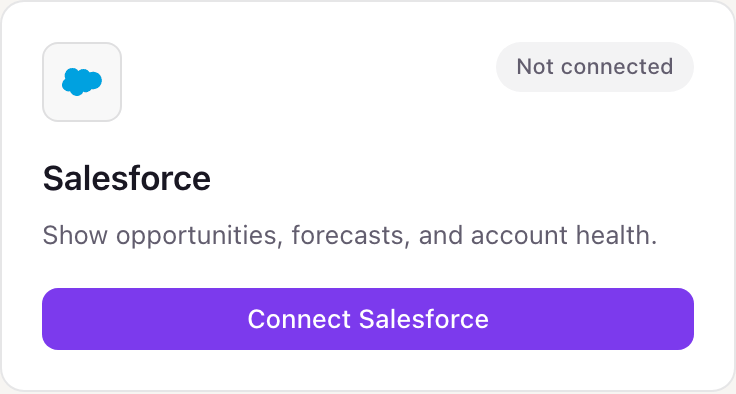
- 1Go to Integrations in Dance Party. The Salesforce card reads Not connected.
- 2Click Connect Salesforce. Dance Party sends you to the Salesforce login page.
- 3Sign in with the Salesforce user whose view of the org you want on screen, then click Allow on the access request.
- 4After Allow, Salesforce hands you back to Dance Party with the card marked Connected. Ask DJ Agent for a dashboard and it reads from that org.
One Salesforce connection per workspace
A workspace connects one Salesforce org, through one Salesforce user. Every dashboard sees what that user sees, so connect with a user whose sharing covers the whole team. A second org, such as a separate subsidiary, needs its own Dance Party workspace.
Read-only in practice. Salesforce's api scope does not come in a read-only version, so Dance Party enforces it: the adapter sends only SELECT queries and report runs and rejects any insert, update, or delete. To cut access, revoke Dance Party under the user's Connected Apps in Salesforce or disconnect it in Dance Party.
From Salesforce to your office display
Once Salesforce shows Connected, the rest happens in plain English. No code, no drag-and-drop.
1. Describe it. Tell DJ Agent what you want to see.
New dashboard+ WidgetDescribe a widget in DJ Agent, or click + WidgetDJ AgentDATA SOURCESSalesforceConnectedSum Salesforce opportunities closing this fiscal quarter by forecast category: Closed, Commit, Best Case, and Pipeline. Show each as a big number.Send2. It gets built. The widget lands on your board with real Salesforce data.
New dashboard+ WidgetQ3 forecast by categoryLiveClosed$1.42M23 oppsCommit$960K11 oppsBest Case$1.31M19 oppsPipeline$2.86M64 oppsDJ AgentDATA SOURCESSalesforceConnectedSum Salesforce opportunities closing this fiscal quarter by forecast category: Closed, Commit, Best Case, and Pipeline. Show each as a big number.Send3. Put it on a screen. Pair an Apple TV with the six-character code it shows, then assign the dashboard.

Salesforce dashboard questions
Can I put a Salesforce dashboard on an Apple TV?
Yes. Connect your Salesforce org, describe the view to DJ Agent, and assign it to a screen running the Dance Party Apple TV app. It refreshes every hour by default, and you can ask for as often as every 5 minutes.
Can it show a Salesforce report we already built?
Yes. Name the report and Dance Party runs it through the Salesforce Reports API, keeping its filters and groupings. The report has to be in a folder the connected user can open.
Does it work with custom objects and custom fields?
Yes. Dance Party lists and describes every object the connected user can see, including __c objects and fields, and queries them the same way as Opportunities.
Whose data does a Salesforce dashboard show?
Whatever the connecting user can see. Sharing rules, role hierarchy, and field-level security all apply, so a rep's login shows less than a sales ops login.
Why does Salesforce say OAUTH_APPROVAL_ERROR_GENERIC when I connect?
Your org blocks apps it has not installed. A Salesforce admin can install Dance Party from Setup, Connected Apps OAuth Usage, or grant you the Approve Uninstalled Connected Apps permission, then you connect again.
Which Salesforce editions work?
Editions that include API access: Enterprise, Unlimited, Performance, and Developer. Professional Edition works once your org has bought Salesforce's API add-on.
Can Dance Party edit opportunities or cases?
No. It only runs SELECT queries and saved reports. It cannot change a stage, reassign an owner, or close a case.
More integrations
Put Salesforce on every office display
Connect Salesforce, describe the dashboard, and it runs on an Apple TV, refreshing on its own.
Get Started